Like the Inventory Import Tool, the stand-alone Attribute Value Association tool can associate existing items with existing attribute values. In addition, it can also create attribute values on the fly (Inventory Import does not).
The stand-alone Attribute Value Association tool is accessible by doing the following:
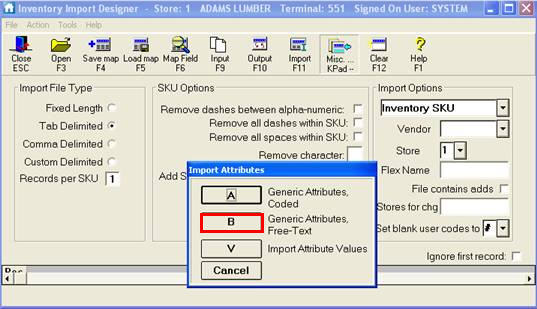
From the Eagle Browser, select Data Import, and then select Inventory Import Designer.
Click Misc, and select B-Generic Attributes, Free-Text.
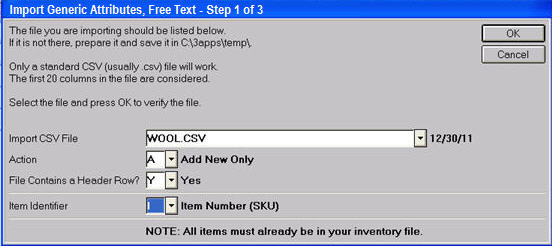
In the dialog that displays, select the CSV file, fill in the other fields, and click OK.