|
3.
|
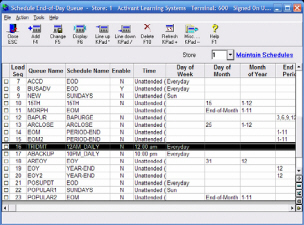
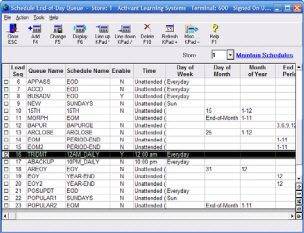
TRIT/TRIDMT with N in Enabled column
If the flag is set to N, you need to set your system to
automatically receive software patches.
-
Use the down arrow key to highlight the TRIT or TRIDMT
row.
-
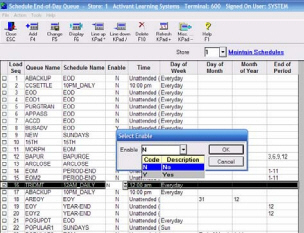
Click in the Enable field, select Y, and then click Change.
Legacy users only:
-
Press <Run> and then press <Tab> to place the cursor
in the enabled column.
-
Type Y and then press <Enter>.
-
Press <End>.
-
The message “Save Changes (Y/N)?:Y” displays. Type
Y and press <Enter>.
-
Verify that your customer number is set up in MTC. From the
Eagle Browser, type MTC and press <Enter>. (Legacy
users: Type MTC from the Function prompt and press
<Enter>.)
-
In the Control Stream Name box, select TRIDMT.
-
On Line #5, verify that your 6-digit Activant customer number
displays after the word SIGNON.

If your customer number does not display, add it by typing
over the information that displays (for example "eagle") with
your customer number and press <Change>.
|
|
4.
|
TRIT/TRIDMT not listed in Enabled column
If TRIT or TRIDMT do not display, you need to add them to
your system.
-
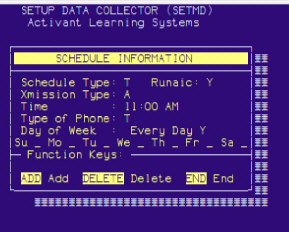
From Network Access, at the Function prompt, type SETMD
and press <Enter>.
-
In the Schedule Type field, type T, and press <Enter>.
-
In the Xmission Type field, type A, and press <Enter>.
-
In the Time field, type 11:00.
-
In the --M field, type A.
-
In the Type of Phone field, type T
-
In the Every Day field, type Y, and press <Add>.
-
From the Eagle Browser, type SEQ in the Launch bar and
press <Enter>. (Legacy users: Type SEQ from the Function
prompt and press <Enter>).
-
Verify that the TRIT or TRIDMT queue now displays in the
list.
|
|