Transactional Security: Setup
The following are the requirements and prerequisites for using Transactional
Security.
- Eagle Licensing must activate option 1345 "Point
to Point Encryption on system" in Options Configuration
- Your Eagle must be running Release 24.1 or higher
- You must be using the Epicor Payment Gateway
- You must be using Ingenico iSC250 pin pads
- You must download RBA 12.01 or higher from Device
Configuration to the iSC250 pin pad. WARNING: This download can take
45 minutes per pin pad if you are not yet on RBA 3.33. To view the
job aid on updating your signature capture pad to the current RBA
click HERE.
- At each terminal with an ISC250 attached,
do the following:
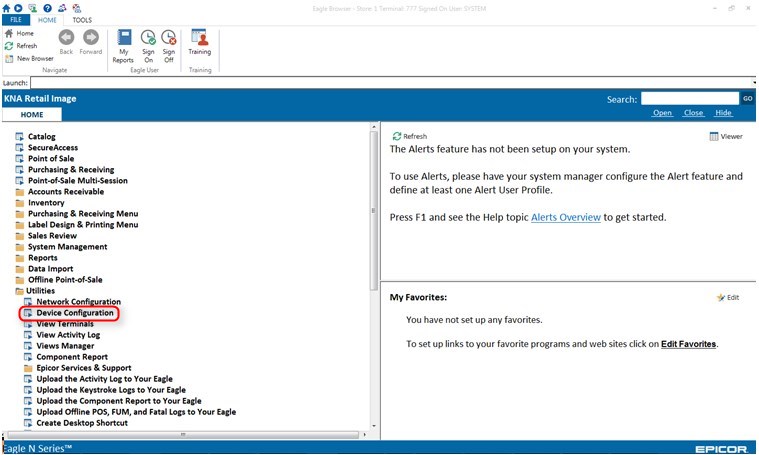
- Open Eagle Browser
- Click "Utilities" in the left
pane
- Click "Device Configuration"
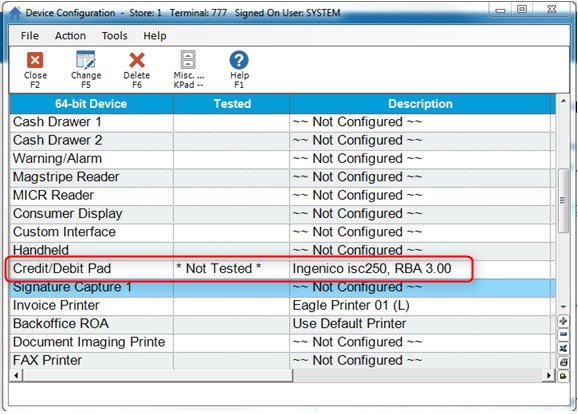
- Double Click on the line where "Signature
Capture" is listed
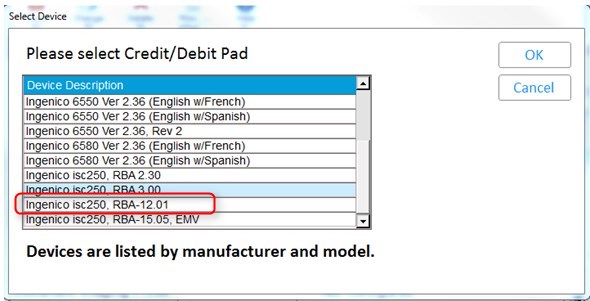
- In the grid, click on the line where "ISC250
RBA 12" is listed
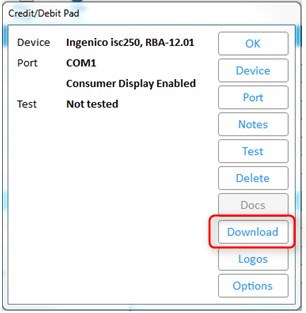
- Wait until it is finished
- Go back to the Credit/Debit Pad screen
and click "Options"
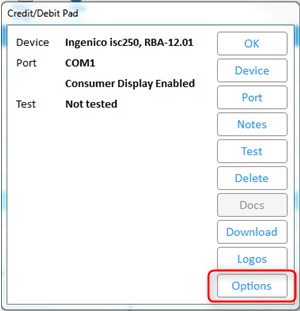
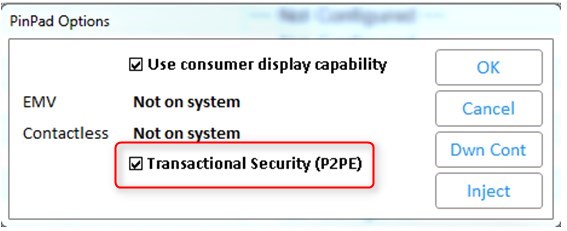
- Choose “P2PE” from the Device Configuration
options menu for the iSC250 pin pad
- Repeat these steps for all terminals with
an ISC250 attached
- You must be processing payment cards with one
of the following:
- FDMS
- Global
- Chase Paymentech
- RBS Worldpay (Available in March 2016)
- EPX
- If
you currently have stored credit card numbers for you AR customers
you can run a utility to convert them to tokens. Click here
to view the procedure.
Setup Instruction and Tokenization
Utility Instructions are in Online Help and Training on Demand