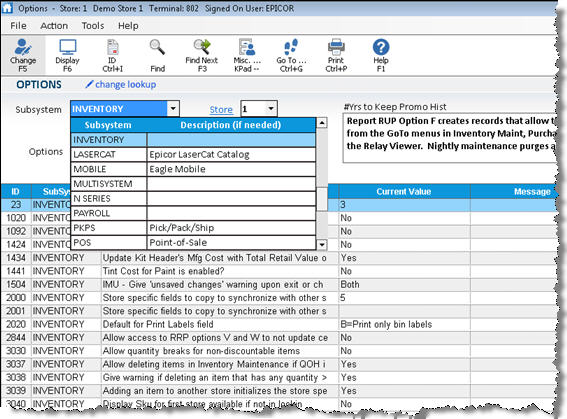
In the traditional search, you can select criteria from the various drop-down lists to narrow your search. You can also use the ID button on the toolbar. The following are some examples of searches in the traditional mode.
To view all options from a given application such as Inventory, select Inventory (or any other application) in the Subsystem drop-down, select All Options in the Options box, and press Enter.
To view all options (except MSY configuration options set up by Epicor), leave the defaults of "All" in the Subsystem and Options fields, and press Enter.
To view an option when you know its option ID number, click ID, enter the ID number, and press Enter.
To view store-specific, terminal-specific, or user-specific options, select All from the Subsystem drop-down, and then select Store, Terminal, or User from the Options drop-down list, and press Enter.