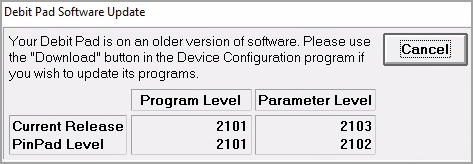
If you have the Verify PIN Pad Level check enabled, you are prompted to upgrade your PIN pad device when you login at your terminal. This upgrade applies updates to your configuration file required to support Canadian dual-brand credit cards.
The first time you login after an upgrade, the system may prompt you with the following options:
Upgrade the PIN pad. (recommended)
Turn off the Verify PIN Pad Level check on the terminal device configuration.
Select Cancel.
Selecting Cancel at this prompt allows users to continue without prompting again until the user has completely logged off and back in again.
We highly recommend you upgrade each PIN pad device after upgrade to ensure compliance.
To upgrade your PIN pad:
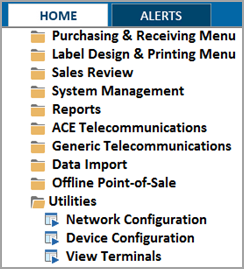
From the Eagle Browser (eBrowser), select Utilities > Device Configuration. You can also type DEVCFG in the launch bar.
Highlight the Credit / Debit Pad row.
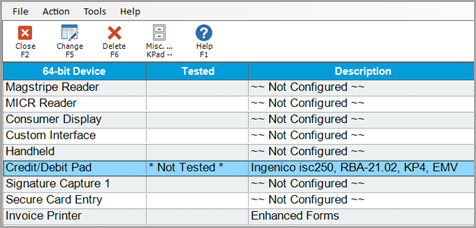
Double-click this row or select Change.
From the Credit / Debit menu, select Options.
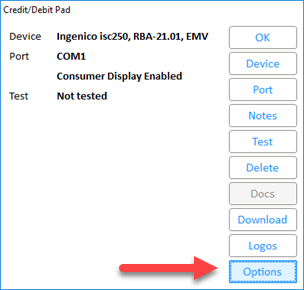
Click Update Pad to upgrade to the latest PIN Pad version.
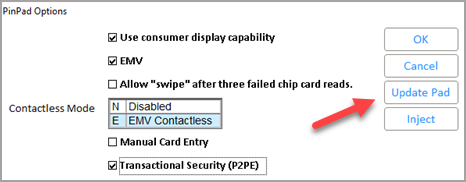
6. When complete, the system returns you to the regular PIN pad screen.
Lane Series PIN Pad Software Upgrade (UPP 7.80):
Ingenico has released a Lane Series PIN Pad upgrade (UPP 7.80) that can now be installed through Eagle Device Config on Release 32 and higher. This applies to Lane 7000 and Lane 5000 models. This upgrade supports rotating logos and Driver's License swipe alongside performance improvements.
This process will take 30-35 minutes, during which the PIN pad will be unusable. Ensure you have enough time allocated to finish the update before continuing.
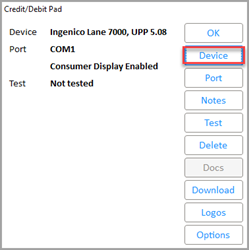
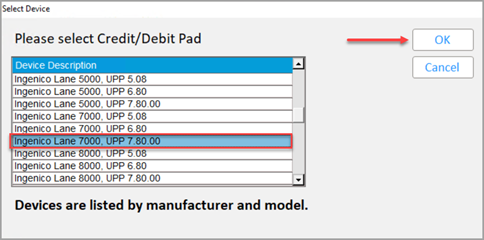
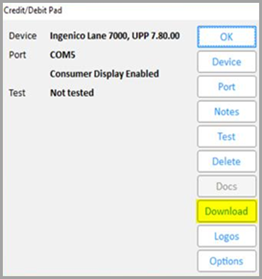
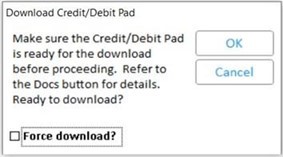
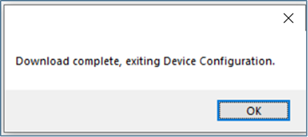
After the download is complete: